Lessons From Building an AI Tool that is actually useful
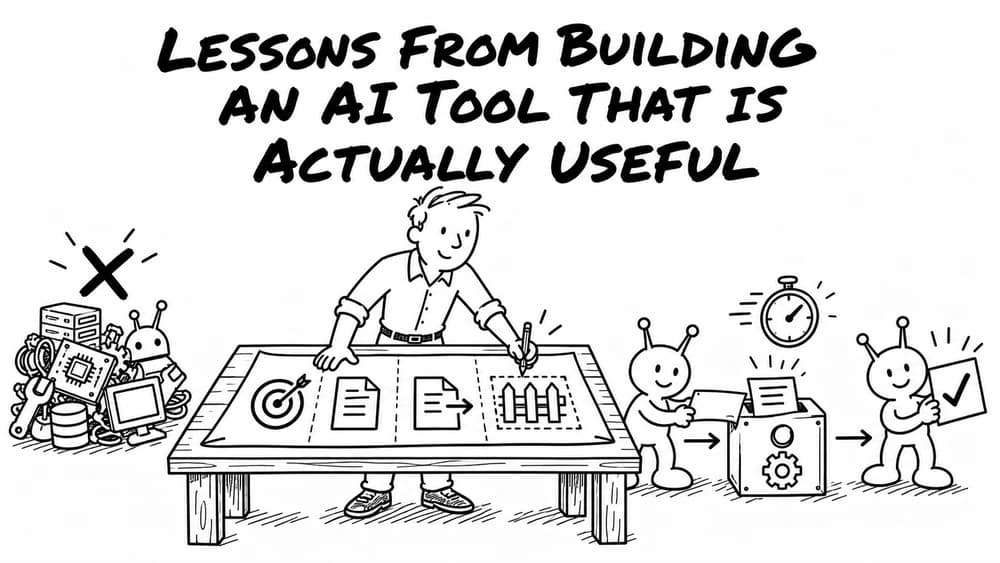
Last week I built an agent. Like most builders, I overengineered the first pass. I wanted a rocket ship. I needed a Honda.
The job was simple: take my reading highlights, my brand guide, and my content plan. Brainstorm potential social media and blog post ideas worth fleshing out. Nothing crazy. Just an internal tool to start Monday morning planning a bit more quickly.
But the path from "this should be quick" to "this is actually built right" had more turns than I expected. Here's what the project taught me, and what it means if you're thinking about putting AI to work in your own company.
1. Start stupid simple. Add complexity only when it hurts.
My first instinct was to employ the heavy machinery. Docker containers. A RAG pipeline. Persistent memory. The full stack.
I didn't need all that.
The final version that actually works is a single script running locally referencing a handful of markdown files. That's it. The "sophisticated" architecture I started with was solving problems I didn't have yet.
The lesson for your business: When a vendor or internal team pitches you an AI project, ask one question: "What's the simplest version of this that could possibly work?" If they can't answer, they're going to burn your budget on infrastructure that solves theoretical problems.
2. Prioritize markdown files beat vector databases
Some in the AI world believe that every project needs a vector database and a RAG system. RAG, in plain English, is a way to let an AI search through a large pile of documents and pull out only the relevant bits.
It's powerful. But it's often overkill for use cases.
I had five markdown files, each a few pages long. Since modern frontier models have context windows often of a million tokens, I could just hand the model the whole pile and let it work.
The benefits of going direct:
- Faster responses
- More accurate output (no retrieval errors)
- Files are easy to read and edit by hand
- No infrastructure to maintain
RAG earns its keep when you've got hundreds of documents or a 400-page knowledge base. For a focused agent operating on focused inputs, direct is better. The same logic applied to memory. Instead of a fancy memory system, I write lessons learned straight into the agent's instructions file. Plain text. Editable. Auditable.
3. The cheap model is not the smart move
I assumed a fast, lightweight model would handle a "simple" content task just fine. Wrong. The output from frontier models was meaningfully better. Sharper. More on-brand. Less generic.
For tasks where quality is the whole point, the dollar or two extra per thousand runs is irrelevant. The output is the product. Don't cheap out on the brain.
4. Prioritize your context files by importance
Giving the agent all my files wasn't enough. The breakthrough came when I told it which files mattered most and how to use each one.
For example: "Use my reading knowledge base as the primary source of ideas. Use the brand guide to shape voice. Use the content plan for examples."
It seems obvious in hindsight. It made a massive difference.
Translation for executives: AI tools are like new hires. Handing them a stack of documents without context on day one is not ideal. They need to know what to read first, what's authoritative, and what's just nice-to-know.
5. Signal-to-noise ratio in your context is key
I added a file of phrases and turns of speech I like, hoping to inject some personal flair. When I actually reviewed the file, almost none of the phrases worked for social media posts. The agent had to hunt through a ton of text to find anything useful.
I deleted the file. Output improved.
Similar issue with my marketing plan. It had social media sections but mixed in with channel strategy, partnerships, and a dozen other things. I broke out the social media portions into a dedicated file and provided that instead. Output improved again.
The takeaway: every irrelevant sentence in a context file is a small tax on the agent's attention. Curate ruthlessly.
6. The prep is the work
Building agents has a strange rhythm. You can generate thousands of lines of code in seconds. But to make any of it useful, you have to make hundreds of small decisions up front.
What's the goal? What's the input? What's the output format? What's the priority order? What's in scope? What's out?
An hour of prep for a tool that runs in seconds is normal. That can feel slow and unrewarding compared to the dopamine of seeing output on screen. It's actually the right shape of the work. So much of the actual work is making decisions before any code runs.
7. Getting started is the hardest part
Even knowing all of the above, the friction of starting a build is real. Yes plan but don't get stuck in planning or overthinking.
At some point you have to put down your pencil and start building. Build the dumbest version. Iterate.
What this means for your business
Most AI agent projects don't fail because of the technology. They fail because:
- They're overengineered
- The context fed to the model is messy
- The right model isn't being used
- Not enough design and prep work done
The companies winning with AI right now aren't the ones with the biggest tech stacks. They're the ones who treat agents like new team members. Clear instructions. Clean inputs. Sharp scope. Real review.
That's the work Superfoo does. We come in, find the workflow that's eating your team's time, and build an agent that actually is useful. No bloated infrastructure. No vague promises. Just an agent that does the job, and a team that trusts it.
If you've got a workflow that feels like it should be automated but every previous attempt has stalled, that's the conversation worth having.