Starter AI Agents for Business Leaders
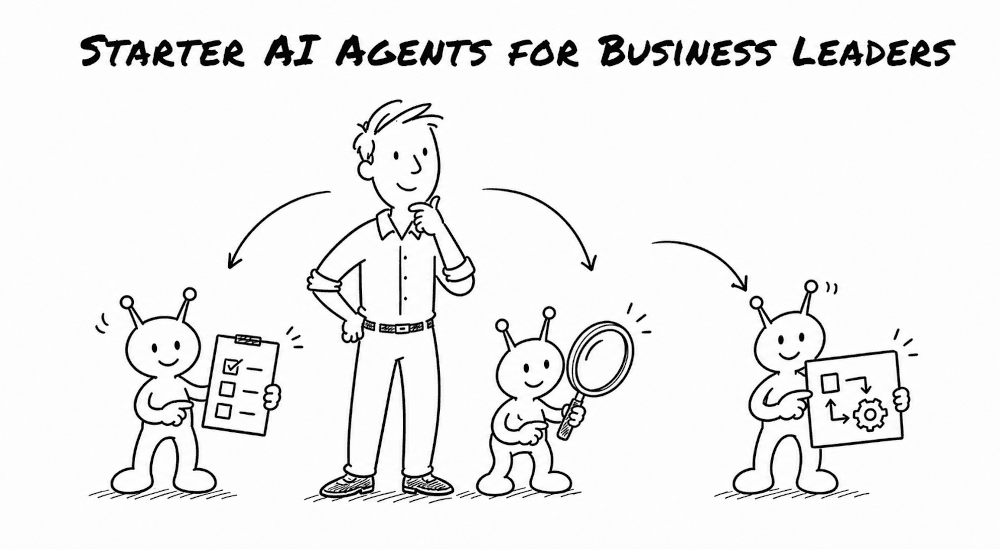
As a business leader, you are familiar with all the emails, meetings, follow-ups, and open loops that eats up the day. A few practical AI agents can help take some of that work off you and your team.
You don't need to begin with a huge project. In fact, you don't want to. Start with one repetitive pain point.
An AI agent gathers information, uses tools, drafts reports, and moves a task through several steps. If you want a simple overview of agents, read What Is an AI Agent?.
Here are seven agents to consider starting with.
1. A company wiki agent
Most companies already have the information they need, but it's all over the place. Product details sit in one folder. Brand guidelines live somewhere else. An important decision from six weeks ago is trapped in a document nobody can find.
A company wiki agent turns those scattered files into a source of truth your team can talk to. It can answer questions and cite source documents, so your team can dig deeper if needed.
You can start with tools you already use to house the wiki, such as Notion or Obsidian. Have your AI create pages for important customers, products, projects, policies, and processes. Add an index that describes each page.
The agent can also flag stale or conflicting pages, connect related notes, and brief you on recent changes. That makes the wiki an active system instead of a digital filing cabinet.
As the wiki grows, you can add a vector database. This helps the agent find notes based on meaning, not only exact keywords. A search for "customers at risk" could surface a note about delayed orders even if nobody used the word "risk."
2. A new employee onboarding and training agent
New employees have a lot of questions. But the answers are often spread across policy documents, training decks, SOPs, and inside the heads of other coworkers.
An onboarding agent gives each new hire one place to start. It can explain your mission, values, policies, tools, and ways of working using your wiki, Google Drive, Notion pages, SOPs, and other internal documents. It should cite the source behind important answers.
It can also build a personalized learning path. A salesperson may need product training, CRM steps, and call examples. Someone in operations may need different SOPs and approval rules. The agent can guide each person through the material and adjust to their understanding.
It can also help the information stick. One person may want a checklist. Another may want flash cards, a mind map, or a quiz.
The goal isn't to remove humans from the loop. The agent handles repeated questions and basic training so managers and teammates can spend more time on coaching, context, and relationships.
3. A meeting notes and follow-up agent
Meetings can create more work than the meeting itself.
Someone has to clean up notes, list decisions, assign action items, update the project tool, maybe the CRM and send a follow-up. If not done right, tasks may fall through the cracks.
A meeting agent can pull notes or transcripts from Google Meet or Zoom with a tool like Granola. It can produce a summary, decisions, action items with owners, and a draft follow-up email. After approval, it can create tasks in ClickUp, Monday, Asana, or another project tool.
After a sales call, the agent can pull out objections, next steps, and deal-stage signals. It can then draft the CRM note and follow-up email based on the customer's actual words.
You can also reach the agent through Telegram or WhatsApp after leaving a customer meeting: "Send me the action items, draft the follow-up, and remind me what they said about the timeline." Then review the work from your phone before anything gets sent.
This is a good starter agent because the work is easy to inspect. You can quickly check the decision, owner, and next step.
4. A customer service agent
Your team probably answers the same basic questions over and over. What do you offer? How does pricing work? How long does the process take? Who should I contact?
A customer service agent can answer common questions, collect useful details, and route harder cases to a human. It can also capture a sales-ready lead or guide someone toward booking a call for sales.
Expedia offers a successful example. Chief product officer Shilpa Ranganathan told the Financial Times that AI resolves more than 50% of its customer queries. More complicated cases move to a staff member along with the information the AI already collected, so the customer doesn't have to start over.
That's a good model for most businesses: let AI field the first touch, but make the human handoff easy.
Ground the agent in approved company information. Have it identify itself as a bot, refuse off-topic chats, and escalate complex or sensitive requests.
A good service agent asks follow-up questions and guides people one step at a time to keep the conversation moving. The goal isn't to replace your team. It's to reduce lower level work while keeping a human available when judgment is needed.
5. A market research agent
Keeping up with news, competitors, and industry trends is harder than ever.
A market research agent watches your favorite sources while searching for new material, and delivers a brief from blogs, YouTube, Reddit, X, research papers, web search, or other sources.
The best setup uses two types of sources. Watched sources are the people and publications you already follow. Discovery sources search far and wide to uncover ideas that wouldn't otherwise cross your radar.
You need both. Watched sources tend to be reliable but won't surface sources outside of your bubble. Discovery sources can find gems, but they also require wading through more potentially irrelevant items.
Set up a cron job (scheduled task) and the agent automatically creates research reports at your preferred frequency. It might create a competitor brief every Monday or scan one market each night. Set the schedule, sources, and rules once, then review the result when it's ready.
I've found it useful to format the final brief as a simple HTML report. It's easier to scan than a long chat thread and easier to read than markdown. For a deeper look, read Thoughts on Research Agents.
6. A process and workflow agent
Some of the best agent opportunities don't use chat at all. They are the messy workflows held together by copying, pasting, checking rules, sending reminders, and asking for approval.
A process and workflow agent coordinates those steps across your ERP, project system, email, and other tools. It might receive an order, check the required information, route an exception for approval, update the status, and notify the next person. The agent is completing a job, not just answering a question.
This works well for billing, document review, spreadsheet cleanup, status updates, and team handoffs. The agent becomes the glue between tools and people.
Map the workflow as it works today. Write down the trigger, steps, rules, systems, and approval points. Give the agent only the access it needs. Turn your SOPs and examples into reusable skills, then test normal cases, exceptions, and bad inputs before launching.
The real measure of success is simple: can it carry the task through several steps reliably? A flashy demo matters far less than fewer delays, fewer missed handoffs, and less time spent chasing people for updates.
7. A chief of staff agent
A chief of staff agent can look across your calendar, inbox, tasks, project updates, and company goals. Then it can prepare a short operating brief with priorities, meeting prep, open loops, and follow-ups.
Start with a morning briefing scheduled before the workday. What needs attention? Which meetings require preparation? What deadlines or customer issues are at risk? What can you delegate?
Ask it questions during the day or reach it through Telegram. Over time, it learns your preferences and priorities and stores them in memory and reusable skills.
This agent needs strong safety boundaries. A good first version should be mostly read-only. It shouldn't share private data, expose secrets, or send messages without approval. Test misleading and off-topic questions to make sure it stays within those limits.
A chief of staff agent helps you start the day quicker with better context and fewer loose ends.
How to choose your first agent
Don't start with the agent that sounds most impressive. Start with the workflow you can explain and check. Then build the smallest useful version. Give it a doable job. Connect only the information and tools it needs. Test it with real examples. When the process gains your trust, turn what you learned into reusable instructions and skills so the agent gets better over time.
Pick one annoying workflow your team repeats every week. Map it, test it, and keep a person in control. That's a much better first step than trying to automate the whole company at once.