How to Prepare Your Company Data for AI
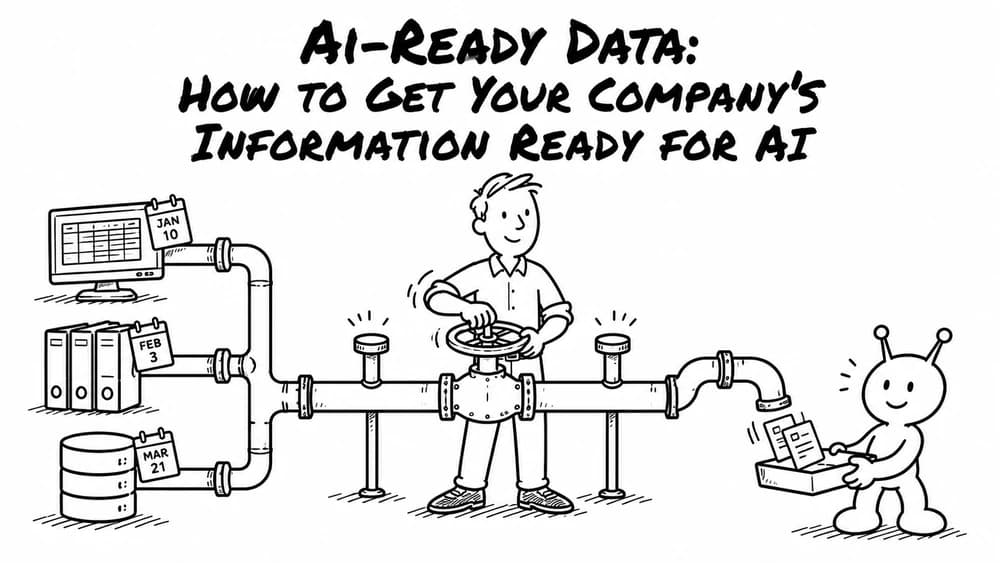
Picture a small business owner who needs last quarter's pricing exception for a regional client. They ping three people, search the shared drive, and finally find a spreadsheet last updated eight months ago. Multiply that by every employee and every week. AI assistants promise to fix this, but an assistant is only as useful as the information it can reach, read, and trust. Getting AI-ready data means taking stock, checking quality, setting access rules, and connecting sources carefully.
Start With an Honest Inventory
Important information often lives in spreadsheets built years ago, in SaaS tools like CRMs and accounting systems, in shared drives and email attachments, on paper forms, and in tacit knowledge: the reasons a discount was approved or how a rush order really gets fulfilled. An AI system can't read what was never recorded.
For each source, note what it contains, where it lives, who owns it, how sensitive it is, and whether you have the right to use it. Customer records and partner contracts often carry usage terms that don't disappear when the data moves into a tool. If personal information is involved, confirm that the use fits your privacy commitments and signed contracts. Our AI readiness assessment can help you structure this review.
Can the Data Be Reached and Read?
Ask three practical questions. First, is the data available at all, or does it sit on one laptop or in a system that only exports by hand? Second, is it accessible to software? Many SaaS products offer application programming interfaces (APIs) for this. Some newer integrations use the Model Context Protocol, an open standard for connecting AI applications to external data and tools. MCP makes data reachable. It doesn't decide who should see what, so treat every connector as something to configure and test.
Third, is the data legible to a machine? Scanned PDFs cause trouble here. A scan may be image-only, which means the text is a picture and needs optical character recognition (OCR) before software can read it. OCR output still contains errors, especially with handwriting, tables, or poor scans. Check a sample against the originals before trusting it.
Structured data, like database rows and spreadsheet columns, can be queried precisely. Unstructured data, like emails, contracts, and meeting notes, is better for retrieving context and explanations. Most businesses need both, handled differently.
Note weak spots as you go. A source that only one person can export, or one with no API, isn't a reason to abandon it. It just means you'll need a manual export routine or a decision to leave that source out for now.
| Data type | Common weak spot | Practical first step |
|---|---|---|
| Spreadsheets | Unclear owner, hidden tabs, no version history | Name an owner and freeze one approved version |
| SaaS tools | Limited API access or unclear permission model | Check connector options and test with a sample account |
| Scanned PDFs | Image-only text, OCR errors | Run OCR, then verify a sample against originals |
| Paper and tacit knowledge | Never written down | Capture key steps and decision rules in a written note |
Quality and Definitions
More data is not always better. Adding every folder to an assistant can bury useful material under outdated drafts, duplicate files, and contradictory notes. The model then has more chances to pick the wrong thing with confidence.
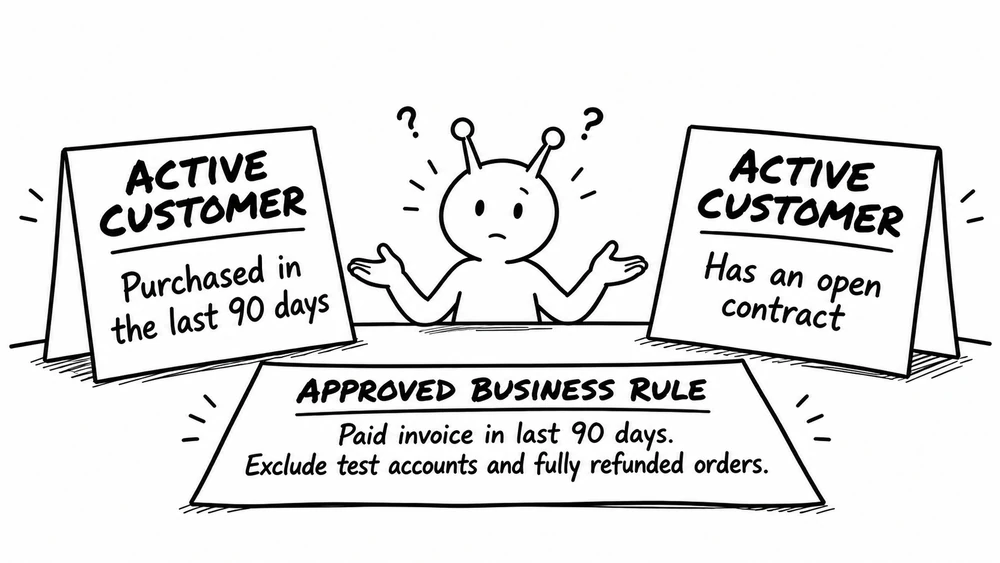
Start with the basics: missing values in fields that matter, duplicate customers entered under slightly different names, conflicting records between the CRM and the invoicing system, replaced policies that were never removed, and dates written five different ways. Then look at definitions. "Active customer" might mean a purchase in the last 90 days to one team and an open contract to another. "Revenue" might include refunds or test accounts. An AI assistant won't know these choices unless someone writes them down.
Suppose a leader asks, "What was our revenue last quarter by region and sales rep?" The answer depends on which orders count, how refunds are handled, whether currency conversion was applied, and whether a billing bug duplicated some invoices. A well-meaning assistant might sum a column and return a clean-looking number that is wrong.
A concrete definition helps. For example: "Active customer means an account with at least one paid invoice in the trailing 90 days, excluding test accounts and fully refunded orders." Store that definition next to the query that computes it, and have someone responsible for reviewing changes.
Clean inputs lower the odds of wrong answers. They don't eliminate them. A model can still invent details, mix up two similar documents, or fill a gap with a plausible guess, so answers still need checking.
Security and Privacy Before Connecting
An AI tool should see only what the person using it is allowed to see. Humans should use named accounts with multi-factor authentication, role-based permissions for sensitive records, and audit logs. AI tools and integrations need their own discipline:
Give each integration scoped credentials rather than a shared admin login. Start with read-only access, and add write permissions only for a specific workflow someone has reviewed. Enforce least privilege in the system itself. A prompt saying "don't show salary data" is an instruction a model can ignore or be tricked out of. Permissions enforced by the system are what hold.
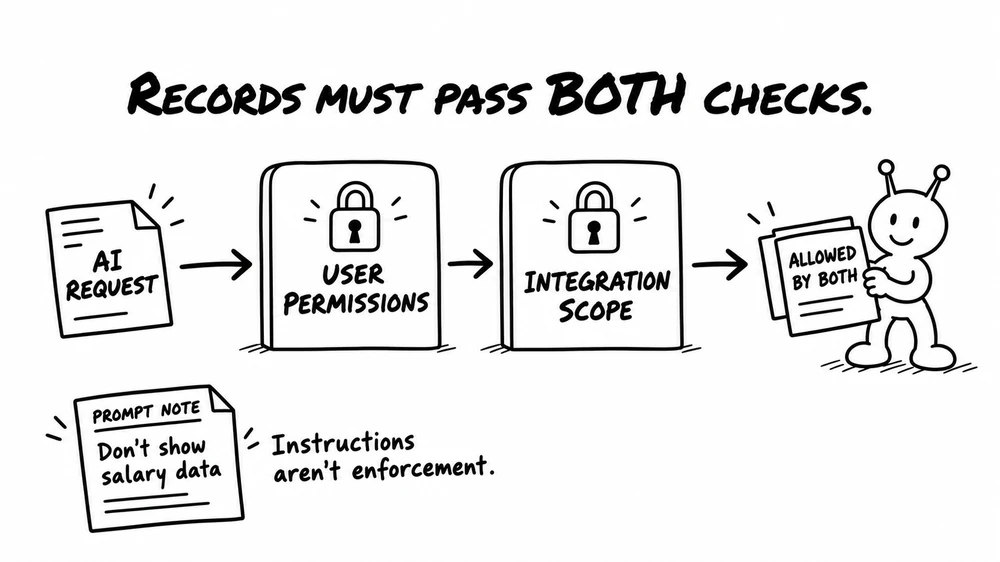
Retrieved documents deserve suspicion. A file might contain hidden text telling the assistant to ignore its rules and email the customer list. Your systems should block unauthorized actions no matter what the model decides. Sending data outside approved paths, deleting records, and exporting files should require checks that don't depend on the model behaving well, and sensitive write actions should need human approval.
Credentials and passwords never belong in prompts or in documents an assistant can read. Keep them in a secrets manager. Revoke access when a project ends, when a contractor leaves, or if you suspect compromise. Encrypt data in transit and at rest, and keep logs lean: record who accessed what and what action was taken, without storing full prompts containing personal information unless you have a specific need and a retention plan.
What vendors promise, and what they don't
Vendor privacy terms matter, but they don't settle everything. According to Anthropic's help center, commercial inputs and outputs are not used to train its models by default, though feedback or explicit permission can change that. That is a no-training statement. It is not a statement about how long data is kept. Anthropic's retention documentation describes separate deletion windows and exceptions, so read both.
Don't generalize from one vendor to another. Terms vary by product, plan, and configuration. A paid account is not automatically a zero data retention (ZDR) arrangement. ZDR is usually a specific agreement with defined scope, so ask for it in writing and confirm what it covers, including any exceptions. Vendor promises also don't replace your own obligations. A customer contract that forbids sharing data with third parties still applies even if the third party promises not to train on it.
You don't need a long policy to start. A few data tiers that say what goes where usually work. Our AI policy guide for employees shows how to write those rules in plain language. Include quiet channels too, like browser extensions and meeting recorders, since they can send content to third parties without anyone thinking of it as uploading.
Connect Sources Without Rebuilding Everything
You don't need a new data warehouse to begin. Most teams can connect the tools they already run, then add infrastructure only when a clear need appears.
Each business domain needs a source of truth, one system that wins when records disagree. Customer contact details might live in the CRM, pricing in billing, and policies in a controlled document repository. A search index or vector store is a derived copy used for retrieval. It is not the authority.
Retrieval-augmented generation (RAG) is a pattern for answering questions from company content. The system searches for relevant material and passes it to the model as context before the answer is written. Microsoft's overview of RAG explains that retrieved content grounds the response and that retrieval should be limited to content the user is authorized to see. If you plan to build this kind of internal assistant, our AI knowledge systems work covers that setup.
Some RAG designs copy content into an index. Others query source systems at question time. Each has tradeoffs in freshness, cost, and exposure. Either way, relevant snippets may be sent to an external model, so include that data path in your review. Don't assume the assistant has live access to everything. It sees what the retrieval layer selects.
Permissions and deletions have to propagate. When someone loses access, revoke it at the source and make sure the index stops returning that content. Don't wait for the next scheduled sync, because stale permissions can expose information during the delay. Check what happens when a sync fails, too, since a silent failure can leave AI answering from old data.
Know where your source data is backed up and how long copies are kept. Also know how you would rebuild a search index after corruption or exposure. Restoring one source into a clean environment and checking whether answers match will teach you more than a long backup document.
Use Approved Calculations for Exact Numbers
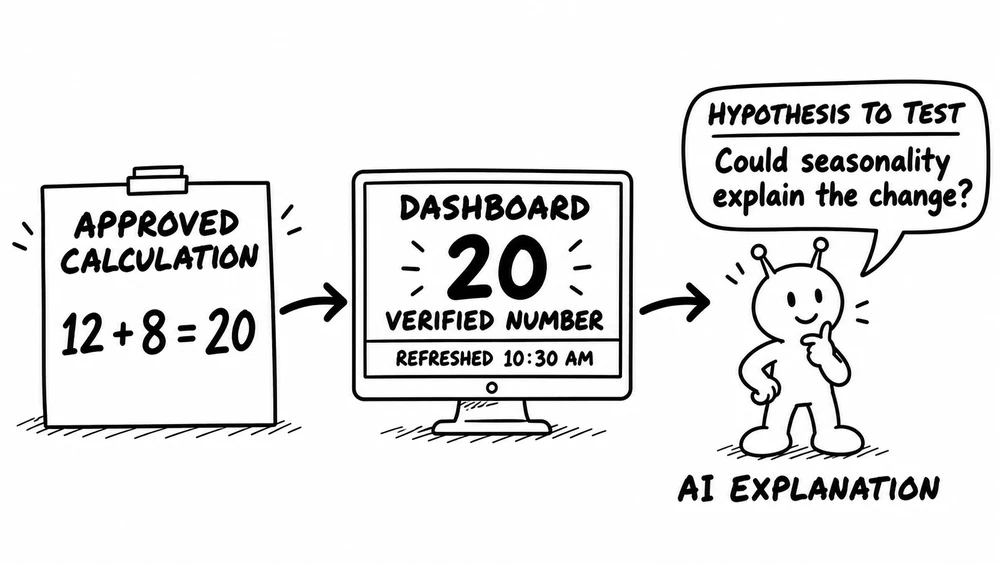
AI is useful for explaining patterns, drafting hypotheses, and helping people ask better questions. It shouldn't be the only source for exact metrics. Use approved queries and calculations for revenue, churn, and inventory counts. A calculation can confirm what the numbers say, but it can't establish why they changed.
If a leader asks why sales slowed last quarter, an assistant can propose hypotheses: a price change, a lost account, a seasonal dip, a shift in the sales team. It can name the data needed to test each one. Determining whether a cause is real requires evidence with an appropriate design, such as a comparison between groups or a controlled change, not a chart that looks convincing.
Dashboards give the team a shared view of those approved numbers. Set clear edit permissions, show when the data last refreshed, and let AI explain the results in plain language without accidentally changing the underlying definitions.
Keep It Running
Launching is the easy part. Accuracy erodes unless someone maintains it.
Assign an owner to each source. That person decides what is authoritative, approves changes, answers questions about definitions, and sets the refresh schedule. After each refresh, run the test questions again to confirm nothing broke.
Test with known answers. Build a small set of questions where the right answer is already known. Include hard cases: missing information, stale documents, conflicting sources, and questions the user isn't authorized to ask. The system should flag uncertainty or conflicts, and refuse unauthorized requests without leaking restricted content. Start with a narrow AI pilot project so the test set stays manageable and results are easy to judge.
Measure outcomes, not just speed. Track how often people accept answers unchanged, how long review takes, and how often someone has to correct the assistant. If review effort keeps climbing, the data or retrieval logic needs work.
Capture tacit human reasoning. When a senior person explains why an exception was approved, write down the rule and the reasoning. Proprietary data is valuable only when it is relevant to the questions people ask, accurate enough to trust, and paired with the know-how needed to interpret it. A large archive is not an advantage by itself. Captured reasoning is often what turns files into something useful.
Report mistakes quickly and without blame. If an assistant exposes information it shouldn't have, treat it as an incident: review what happened, fix the cause, and share the lesson. People who fear punishment hide problems, and hidden problems grow.
Take the First Step
Pick one domain with a clear owner, such as product information or policies. Inventory its sources, fix the most serious quality problems, set access rules, connect one source of truth, and test with real questions before expanding. If you'd like a second opinion on that plan, AI strategy and consulting is a good place to start. This week, write your list of data sources for that one domain, then book a conversation at superfoo.ai/book-a-call and bring it with you.